 AitJaz
How to type with your voice in any app on a Windows PC
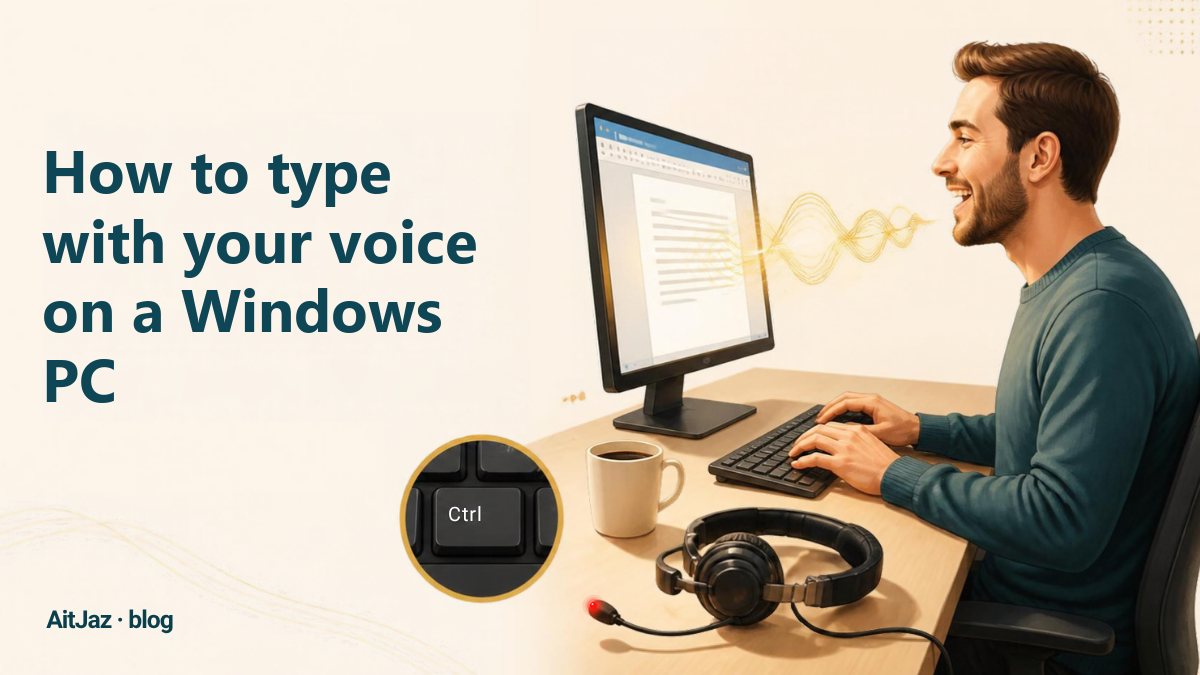
To type with your voice on a Windows PC, you need a microphone and a voice typing app that turns speech into text and inserts it wherever your cursor is. With AitJaz it works like this: click into any text field, hold Right Ctrl, speak, let go, and punctuated text appears in email, Word, a messenger or an AI chat.
How voice typing works
Voice typing (also called dictation or speech to text) is simple: the microphone records your speech, a neural network recognizes the words, and the app adds punctuation and pastes the finished text where your cursor is.
AitJaz runs the speech recognition model on your own computer. By default, your voice is not sent anywhere, and you don't need an internet connection to dictate. Because AitJaz types at the cursor, the same shortcut works in every Windows app.
Step by step: dictate into any Windows app
- Check your microphone. You don't need to buy a desk microphone: the built-in mic of a laptop or webcam works, and on a desktop PC an ordinary headset with a microphone is enough. You don't even have to wear it: it can lie on the desk next to the keyboard.
- Install AitJaz. Download it and run the installer. It takes about a minute and needs no admin rights. On first launch it checks your PC and picks the most accurate speech model that runs quickly on it.
- Click where the text should go: an email, a chat, a document, a search box or the prompt field of ChatGPT.
- Hold Right Ctrl and speak. A small “listening” indicator appears at the top of the screen. You can change the key in settings.
- Let go. The text appears with capital letters, commas and periods.
💡 You don't need to say punctuation out loud: AitJaz adds periods, commas and question marks on its own.
Voice typing in WhatsApp and Telegram on your PC
The desktop versions of WhatsApp and Telegram can record voice messages, but to type text with your voice you need AitJaz. You speak, and your contact gets regular text they can read in seconds and find later with search:
- Open the chat and click into the message field.
- Hold Right Ctrl and say your message.
- Let go, and the text appears in the field.
- Send it as usual.
It works the same in the Windows apps and in the browser versions (for example, web.whatsapp.com). You don't need to set anything up in the messenger itself.
Dictating prompts to ChatGPT, Claude and Gemini
A detailed prompt (who you are, what you need, for whom, in what format) gets a better answer than a short one, but typing it takes time, and speaking it is faster. A good spoken prompt covers five things:
- Role: “You are an experienced lawyer.”
- Task: a letter, a lesson plan, a table, a contract review.
- Context: who it's for and what's already known.
- Format: length, tone and structure, such as “as a list” or “one page max”.
- Constraints: deadlines, conditions, what to avoid.
💡 Long prompts are easy to dictate in parts: each press of Ctrl adds text at the cursor, and AitJaz takes into account what's already written.
Tips for accurate dictation
- Say the whole sentence. Think first, then hold the key and say it in one go.
- Normal pace and volume. No need to shout or speak syllable by syllable.
- Keep the microphone 10–20 cm (4–8 in) from your mouth.
- Reduce background noise or put the headset on in a noisy room.
- Dictate long texts one paragraph per press.
- Add names and rare terms to the Dictionary in settings so AitJaz spells them correctly.
- Read before sending, especially names, numbers and dates.
How much time voice typing saves
Talking is usually faster than typing. In a Stanford study (2016), speech input was faster than typing on a smartphone keyboard, with fewer errors. People who write a lot of emails, messages and documents every day save the most; the 7-day free trial shows how much time you save on your own work.
FAQ
Can I type with my voice on Windows without internet?
Yes. AitJaz recognizes speech on your computer. You only need the internet to download the app and the speech model.
Which languages does it support?
18 languages, including English, Spanish, German, French, Portuguese, Italian and Polish. English and most other languages run on a universal multilingual model; Russian, Kazakh, Uzbek and Kyrgyz use dedicated models.
Does it work in Word, Outlook, Slack and the browser?
Yes, anywhere you can type: Word, Excel, Outlook, Gmail, Slack, Teams, WhatsApp, Telegram, ChatGPT and any text field in your browser.
Will it run on my computer?
Most likely. You need Windows 10 or 11 (64-bit) and a microphone; no graphics card is required. On first launch AitJaz shows how fast it will be on your PC, so you can check before you buy.
How much does it cost?
Free for 7 days, no account or card. After that, a one-time $20 lifetime license for 2 computers. Pricing.
One familiar tool instead of many
Every app does things its own way: a different button here, different settings there, and every time you have to remember how to turn it on and how to use it. AitJaz works one way everywhere: hold Right Ctrl, speak, let go, and the text appears where your cursor is. It's the same in messengers, email, documents, your browser and AI chats, so you only learn it once.